
Billing, stock and your online store in one software.
OmniBill is POS billing and inventory for Indian retail shops, built around sizes and colours. Bill at the counter, manage purchases and GST, and sell online from the same stock on yourshop.omnibillstore.in.
Questions? Call customer care +91 96333 27272
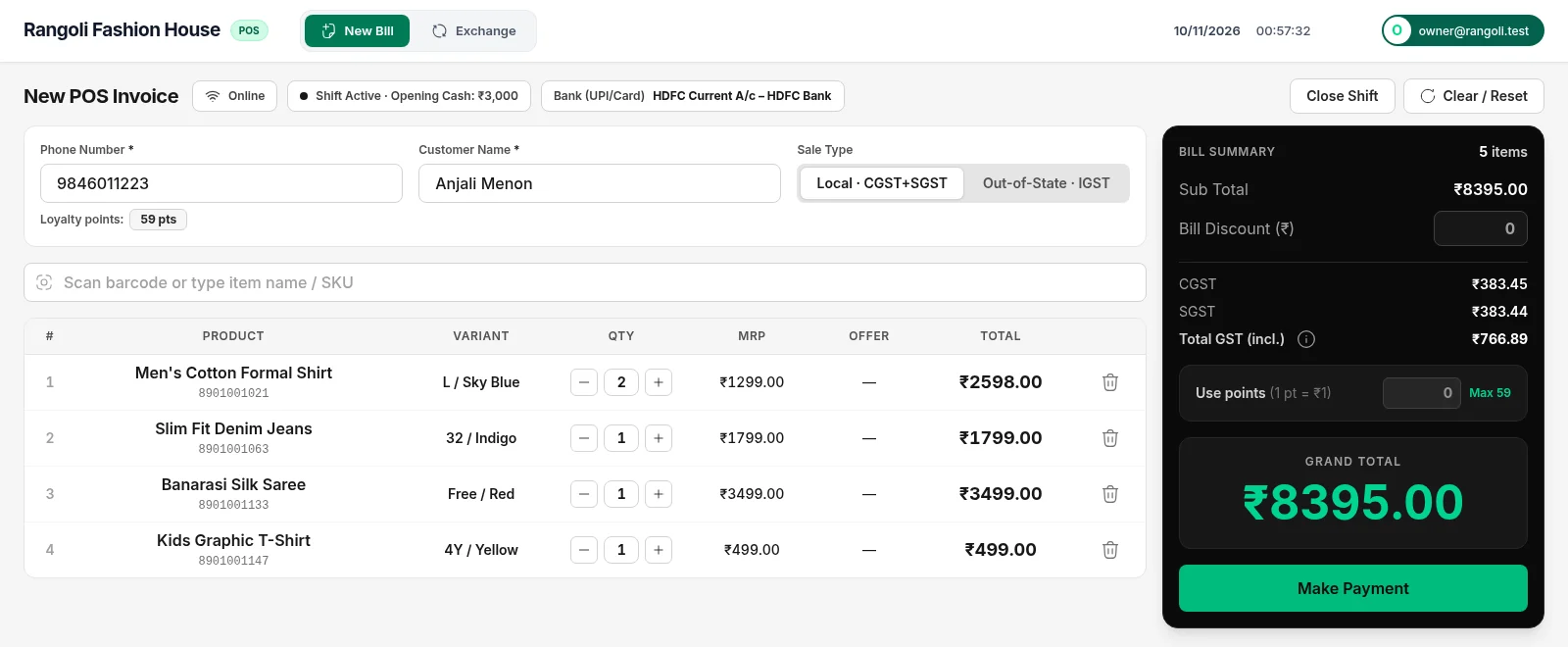
Real screen from OmniBill, shown with a sample clothing shop.
Features
Everything a retail shop runs on, in one software.
Built for Indian clothing, footwear and retail shops: billing, stock, purchases, accounts, GST, branches and your online store.
Fast POS billing
Scan the barcode and the item, size, colour and MRP come up on the bill. Take Cash, UPI or Card (or split them), pick which bank the UPI goes to, and print on your thermal printer.
Exchange, returns & refunds
Return or exchange items from an old bill without editing it. The difference is collected or refunded, and stock goes back automatically.
Credit sales & debts
Let regular customers pay later. See who owes what, collect part payments, and the oldest bill is cleared first.
Loyalty points
Set how many points customers earn per rupee and what a point is worth. Customers redeem points as a discount on their next bill.
Stock by size & colour
Every item has its sizes and colours with their own stock and barcode. Low-stock and negative-stock filters, rack location, and counted-stock corrections with a reason.
Barcode label studio
Print price tags for a whole purchase bill or a single item on your label printer, with size, colour and MRP.
Purchases, batches & expiry
Enter vendor bills and stock comes in with its batch and expiry date. A new MRP gets its own price tag while old stock keeps its price. Expired batches are never sold, and vendor payments and returns are tracked.
GST reports & Tally export
GST summary, invoice-wise and HSN reports with CGST, SGST and IGST. Export to Excel or PDF for your CA, or export sales and purchases as Tally Prime XML.
Day Book, expenses & shifts
Every rupee in and out in one Day Book. Record shop expenses, manage cash and bank accounts, and close each cashier shift with its cash count.
Staff roles & permissions
Give each staff member only what they need: billing only, stock only, reports, refunds. The owner sees everything.
Bill PDF on WhatsApp
Send the customer their bill as a PDF on WhatsApp from the counter. In the Windows app the chat opens with the PDF already attached: just press send. Less paper.
Desktop app that works offline
The Windows app keeps billing when the internet drops and sends the bills when it's back. Screen updates arrive automatically, no reinstall.
Multiple branches, one login
Open more branches as your business grows. Each branch keeps its own stock, staff, bills and accounts, and the owner switches between them from the shop name menu.
Shopify connector
Already selling on Shopify? Connect your store: OmniBill lists your items with photos, keeps Shopify stock in step with your shop, and brings Shopify orders in.
Import from Excel
Bring your item list and opening stock from Excel or another billing software. Check the data before it goes in, and undo an import if something is wrong.
Online Store
Your billing database is your online store.
The same items, sizes, prices and stock you bill at the counter are what customers see and order online. Nothing to copy, nothing to keep in sync by hand.
Every sale, purchase, return and online order moves the same stock.
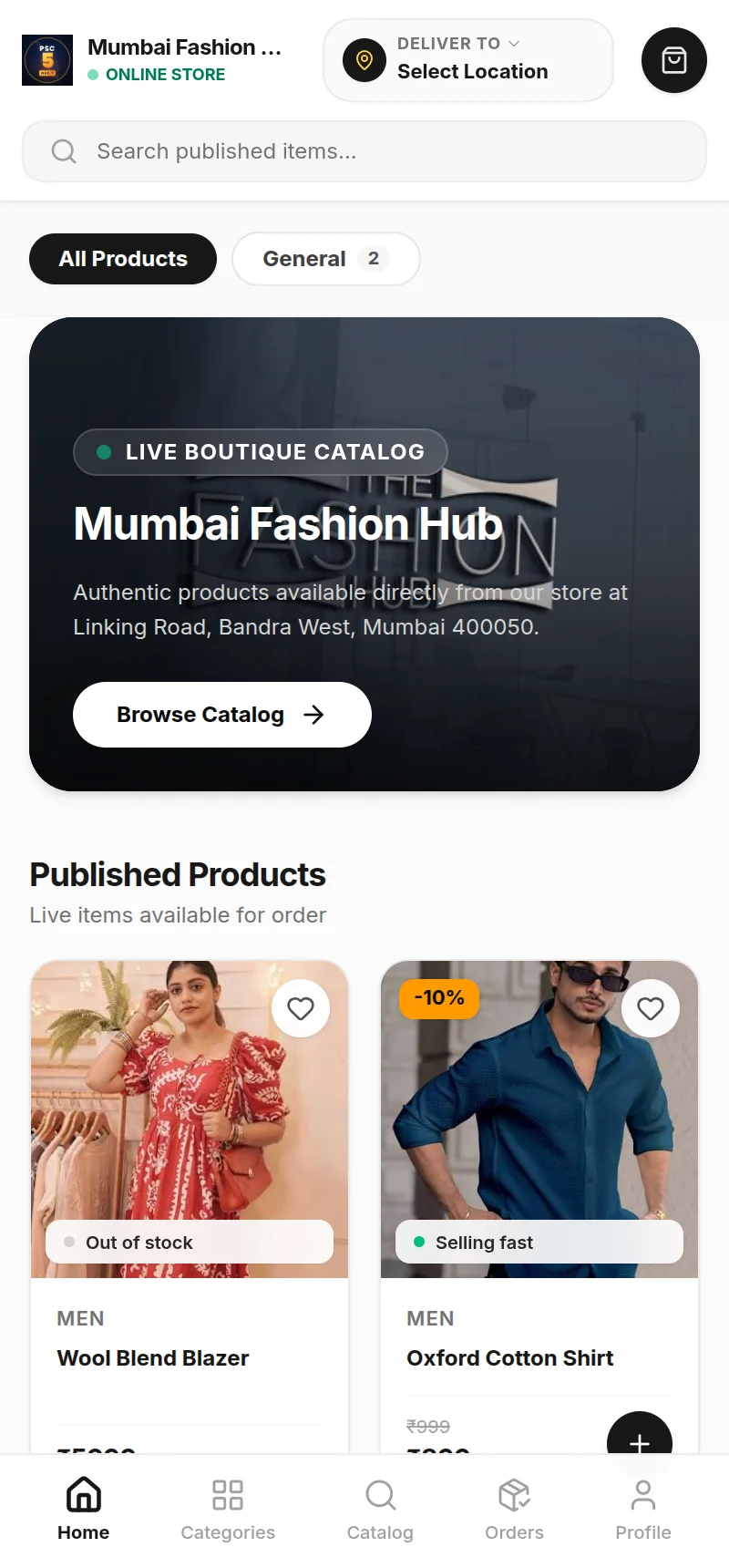
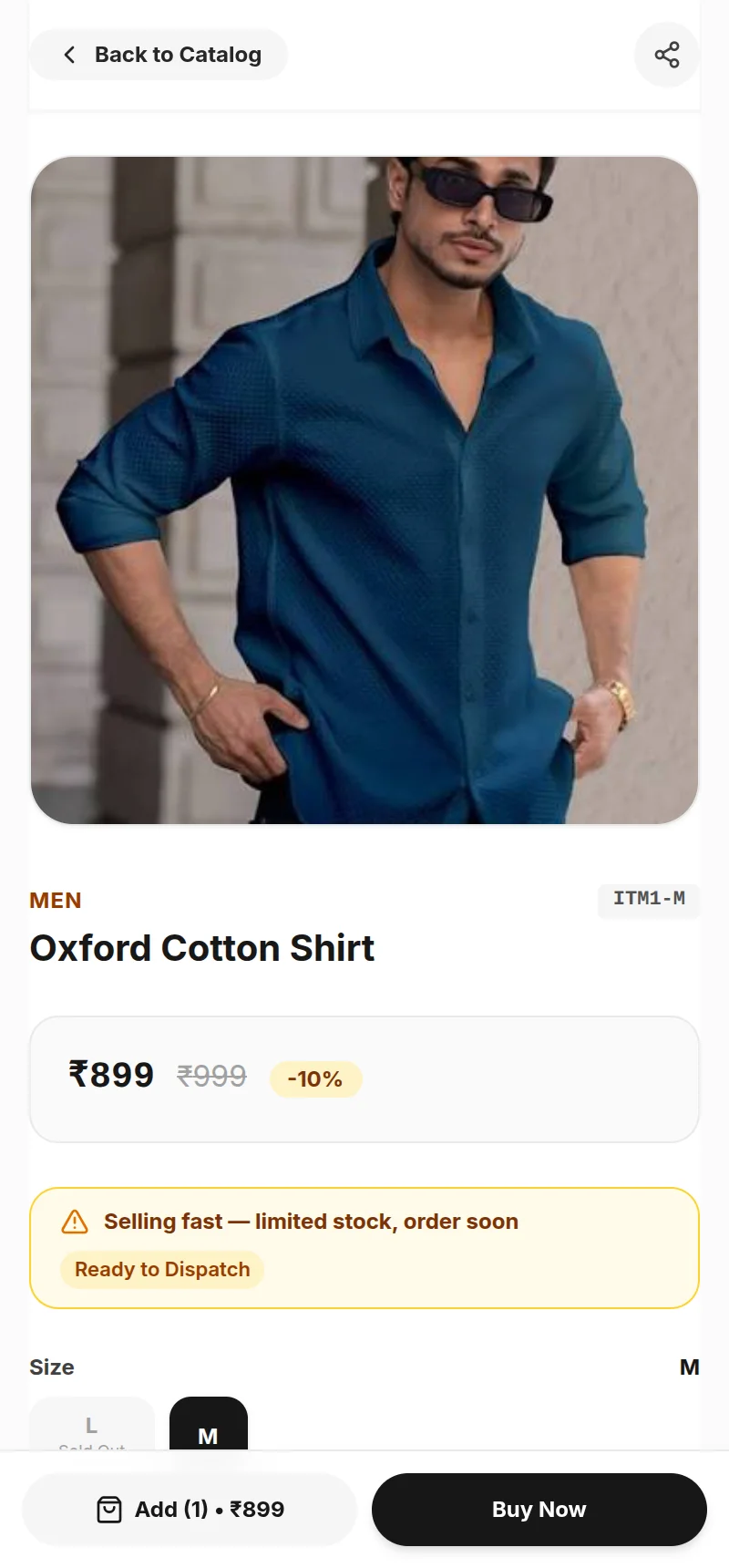
One stock, two counters
Online stock is read live from your shop stock. Sell at the counter and the website updates by itself. No double entry, no separate inventory.
Safety buffer
Keep a few units back for walk-in customers. Set the buffer per item or per size, and the website only shows what's left.
Publish in a few clicks
Pick items from your stock, add photos and a description, and they go live with sizes, colours and the same MRP as your bills.
Your own shop address
Each shop gets yourshop.omnibillstore.in with its own logo, name and banner. Mobile-first, so it works well on phones.
Payments the way you want
Direct UPI to your own account with zero gateway fee (customer uploads the payment screenshot, you verify), Razorpay, or Cash on Delivery with an advance you choose.
Orders in the same software
Online orders appear next to your shop bills. Confirm, pack, dispatch and deliver. Customers can order as a guest or create an account with their phone, email and password, and track their order.
Screens shown are from the OmniBill online store with a sample clothing shop.
Product Tour
See the Real Software.
These are screens from OmniBill itself, shown with a sample clothing store.
Billing counter
Scan a barcode, see the size and colour on the bill, GST is worked out for you, the customer's loyalty points come up, and take payment in Cash, UPI or Card.
Hardware
Works with the counter hardware you already have.
Thermal receipt printers
80 mm & 58 mmStandard ESC/POS thermal printers connected by USB. Bills print straight from the counter screen.
Barcode scanners
USB, plug and playAny scanner that types like a keyboard. Scan a tag and the item, size, colour and price are added to the bill.
Barcode label printers
Price tagsPrint size and colour price tags for new stock from the Label Studio, for a full purchase bill or one item.
Get Started
Start with a 1-month free trial.
No online payment and no automatic charges. When you're ready to continue, talk to our customer care team.
- 1
Create your shop
Download the Windows app or open the web app, and sign up with your shop name, phone and email.
- 2
Use everything free for 1 month
Billing, stock, purchases, GST reports and your online store. All features, no card needed.
- 3
Call us to activate
Our customer care team explains the plan, takes the payment and keeps your account running.
Call or WhatsApp us for a demo, help with setup, or to activate your account after the trial.
Frequently Asked Questions
Questions shop owners ask us.
What is OmniBill?
Which shops is OmniBill made for?
Does OmniBill run on Windows, the web or mobile?
How does the free trial work?
How do I pay for OmniBill?
Does it work if the internet connection is down?
How does the online store work?
I have more than one shop. Can I manage all of them?
Can I send bills to customers on WhatsApp?
Will it work with my thermal printer and barcode scanner?
Can I bring my existing items and stock?
Can I file GST and export to Tally Prime?

Try OmniBill free for 1 month.
Set up your counter, your stock and your online store. When you're happy, call us to keep it running.